As an Amazon Associate I earn from qualifying purchases.
ChatGPT essentials

Write and refine an email with ChatGPTBy Kevin StratvertStart with a real task, then refine the draft. Readable steps
An original companion guide from The Useful Stuff, not a transcript of the video. Methods and model details may differ.
- Describe your audience, purpose, and desired tone.
- Ask for a short draft using only your facts.
- Request one focused revision, such as a warmer opening.
- Check names and commitments before sending it yourself.
Try this prompt
Draft a friendly 120-word email to [audience] about [facts]. Ask about anything missing. Do not invent dates or promises.
A useful prompt gives a goal, context, constraints, and an output format.
Watch the accompanying creator tutorial ↗
Tools & materials
What you need
- ChatGPT account
- A non-sensitive example email
No physical purchase is required. Tool features and limits vary by account and plan.
Summarize a PDF with ChatGPTBy Kevin StratvertTurn a long document into a checked summary. Readable steps
An original companion guide from The Useful Stuff, not a transcript of the video. Methods and model details may differ.
- Choose a document you have permission to upload.
- Attach it and ask a narrowly scoped question.
- Request page references and separate facts from inference.
- Open the cited pages and check every important claim.
Try this prompt
Summarize this PDF in five bullets. Include page references, flag uncertainty, and say when the document does not answer a question.
A confident summary can still misread a table or omit a qualification.
Watch the accompanying creator tutorial ↗
Tools & materials
What you need
- ChatGPT account with file uploads
- A non-sensitive PDF
No physical purchase is required. Tool features and limits vary by account and plan.
Build a weekly plan with ChatGPTBy Kevin StratvertCreate a schedule that respects your available time. Readable steps
An original companion guide from The Useful Stuff, not a transcript of the video. Methods and model details may differ.
- List fixed commitments and time available.
- Ask for a realistic plan with buffers.
- Move any overloaded tasks to another day.
- Check the plan against your actual calendar.
Try this prompt
Plan my week using these commitments: [list]. Allow [time] daily, keep a buffer, and show the three highest priorities.
Creating a plan does not automatically add events to your calendar.
Watch the accompanying creator tutorial ↗
Tools & materials
What you need
- ChatGPT account
- Your task list
No physical purchase is required. Tool features and limits vary by account and plan.

Set useful ChatGPT custom instructionsBy Kevin StratvertGet answers in a format you can actually use. Readable steps
An original companion guide from The Useful Stuff, not a transcript of the video. Methods and model details may differ.
- Write your preferred response length and style.
- Add stable preferences, avoiding private identifiers.
- Save the instructions in the personalization settings available to you.
- Test a new chat and revise vague preferences.
Try this prompt
Answer in plain English. Lead with the result, use short steps for tasks, and ask rather than invent missing facts.
Instructions guide responses; they do not guarantee factual accuracy.
Watch the accompanying creator tutorial ↗
Tools & materials
What you need
- ChatGPT account
- A short list of preferences
No physical purchase is required. Tool features and limits vary by account and plan.
Organize work in a ChatGPT projectBy Kevin StratvertKeep related chats and context together. Readable steps
An original companion guide from The Useful Stuff, not a transcript of the video. Methods and model details may differ.
- Create a project for one ongoing goal.
- Add relevant files and brief project instructions.
- Keep related conversations in that workspace.
- Review which material will be shared before inviting anyone.
Use a separate project for an unrelated goal; check current sharing permissions.
Watch the accompanying creator tutorial ↗
Related creator or official guidance ↗
Tools & materials
What you need
- ChatGPT account with Projects
- Non-sensitive project notes
No physical purchase is required. Tool features and limits vary by account and plan.
Revise a document in ChatGPT CanvasBy Kevin StratvertEdit a focused passage without losing the larger draft. Readable steps
An original companion guide from The Useful Stuff, not a transcript of the video. Methods and model details may differ.
- Ask to open a draft in Canvas if available.
- Select one passage and describe a specific change.
- Compare the revision with the original intent.
- Read the complete document before exporting.
Try this prompt
Open this draft in Canvas. Tighten the introduction, preserve all factual claims, and explain substantive changes.
Menu names and feature availability vary by account and plan.
Watch the accompanying creator tutorial ↗
Tools & materials
What you need
- ChatGPT account with Canvas
- A draft document
No physical purchase is required. Tool features and limits vary by account and plan.
Research & learning
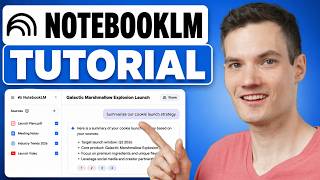
Research your documents with Gemini NotebookBy Kevin StratvertAsk questions grounded in your sources. Video uses the former NotebookLM name. Readable steps
An original companion guide from The Useful Stuff, not a transcript of the video. Methods and model details may differ.
- Create a notebook and add permitted source documents.
- Ask a question that the sources can answer.
- Follow citations back to the supporting passage.
- Save useful findings with their source references.
Try this prompt
Using only my sources, compare their recommendations. Cite each claim and identify where the sources disagree.
The video uses NotebookLM; Google now calls the product Gemini Notebook.
Watch the accompanying creator tutorial ↗
Tools & materials
What you need
- Gemini Notebook or NotebookLM account
- Two non-sensitive source documents
No physical purchase is required. Tool features and limits vary by account and plan.
Make a source-based audio overviewBy Kevin StratvertListen to an overview, then check the underlying evidence. Readable steps
An original companion guide from The Useful Stuff, not a transcript of the video. Methods and model details may differ.
- Select the sources for a single topic.
- Choose Audio Overview where offered.
- Set a focus and generate the overview.
- Compare key statements with the original documents.
An AI conversation is a study aid, not a recording of your authors.
Watch the accompanying creator tutorial ↗
Related creator or official guidance ↗
Tools & materials
What you need
- Gemini Notebook or NotebookLM account
- Source documents
- Headphones (optional)
No physical purchase is required. Tool features and limits vary by account and plan.
Readable steps
An original companion guide from The Useful Stuff, not a transcript of the video. Methods and model details may differ.
- Choose a small set of related sources.
- Generate a mind map in the notebook tools.
- Expand a branch and inspect its supporting material.
- Rewrite unclear relationships in your own notes.
A tidy visual relationship may still need checking against the source.
Watch the accompanying creator tutorial ↗
Tools & materials
What you need
- Gemini Notebook or NotebookLM account
- Related source documents
No physical purchase is required. Tool features and limits vary by account and plan.

Find and check sources with PerplexityBy Kevin StratvertMove from an AI answer to the evidence behind it. Readable steps
An original companion guide from The Useful Stuff, not a transcript of the video. Methods and model details may differ.
- Ask a precise question with a date or location when relevant.
- Open the sources behind the answer.
- Check whether each source supports the specific claim.
- Save the primary source links alongside your conclusion.
Try this prompt
Find primary sources about [topic] as of [date]. Separate established facts from uncertainty and link supporting evidence.
Citations are starting points; inspect the linked page before trusting a claim.
Watch the accompanying creator tutorial ↗
Tools & materials
What you need
- Perplexity account if requested
- A research question
No physical purchase is required. Tool features and limits vary by account and plan.
Compare options with an AI research tableBy Kevin StratvertBuild a comparison you can verify. Readable steps
An original companion guide from The Useful Stuff, not a transcript of the video. Methods and model details may differ.
- Define the options and criteria before searching.
- Ask for a table with source links for each criterion.
- Mark missing evidence as unknown rather than guessing.
- Check current prices and availability with each provider.
Try this prompt
Compare [options] on [criteria]. Link a primary source for every row and write unknown when evidence is missing.
Do not treat an AI-generated ranking as proof that an option is best.
Watch the accompanying creator tutorial ↗
Tools & materials
What you need
- Perplexity access
- A list of comparison criteria
No physical purchase is required. Tool features and limits vary by account and plan.
Organize research in Perplexity SpacesBy Kevin StratvertKeep questions and source trails organized. Readable steps
An original companion guide from The Useful Stuff, not a transcript of the video. Methods and model details may differ.
- Create a space for one research topic.
- Add instructions describing the evidence you need.
- Group related research threads in it.
- Check access permissions before sharing the space.
Try this prompt
In this space, prioritize original documentation, include dates, and clearly label inference.
Features and limits change; check your account before upgrading.
Watch the accompanying creator tutorial ↗
Tools & materials
What you need
- Perplexity account with Spaces
- Research notes
No physical purchase is required. Tool features and limits vary by account and plan.
Images & creative tools

Readable steps
An original companion guide from The Useful Stuff, not a transcript of the video. Methods and model details may differ.
- Describe the subject, setting, composition, and style.
- Specify the intended shape and any required text.
- Generate a draft, then request one change at a time.
- Inspect small details and rights before using the image.
Try this prompt
Create a wide banner showing [subject] in [setting], with [style] and clear space on the right for a headline. No added text.
Do not assume generated text, logos, or product details are exact.
Watch the accompanying creator tutorial ↗
Related creator or official guidance ↗
Tools & materials
What you need
- ChatGPT account with image generation
- A short creative brief
No physical purchase is required. Tool features and limits vary by account and plan.
Edit a photo while preserving the subjectBy Kevin StratvertMake a specific change and check unintended edits. Readable steps
An original companion guide from The Useful Stuff, not a transcript of the video. Methods and model details may differ.
- Upload an image you have permission to edit.
- State exactly what to change and what to preserve.
- Mark the target area if the tool supports it.
- Compare faces, hands, and background edges before saving.
Try this prompt
Remove only [object] from the background. Preserve the subject, face, clothing, camera angle, and existing lighting.
Keep the original photo so you can compare or start over.
Watch the accompanying creator tutorial ↗
Tools & materials
What you need
- ChatGPT account with image editing
- A photo you can use
No physical purchase is required. Tool features and limits vary by account and plan.
Combine image references into one designBy Kevin StratvertUse several references without a vague creative brief. Readable steps
An original companion guide from The Useful Stuff, not a transcript of the video. Methods and model details may differ.
- Choose references you may use and label their roles.
- Describe which elements should come from each reference.
- Ask for a rough composition before refining details.
- Review identity, layout, and legibility in the result.
Try this prompt
Use image A for the product, image B for the setting, and image C for color mood. Keep the product shape and markings accurate.
Reference images guide generation; exact product fidelity still needs inspection.
Watch the accompanying creator tutorial ↗
Tools & materials
What you need
- ChatGPT account with image generation
- Permitted reference images
No physical purchase is required. Tool features and limits vary by account and plan.

Build a simple interactive tool with ClaudeBy Kevin StratvertPrototype a calculator or checklist with a clear purpose. Readable steps
An original companion guide from The Useful Stuff, not a transcript of the video. Methods and model details may differ.
- Describe one small tool and its inputs and outputs.
- Ask Claude to create an artifact with sample data.
- Try normal, empty, and invalid inputs.
- Review the result before downloading or sharing it.
Try this prompt
Build a simple packing checklist artifact. Let me add, check, and remove items. Use only sample data and include a clear reset button.
A prototype is not automatically production-ready or private.
Watch the accompanying creator tutorial ↗
Related creator or official guidance ↗
Tools & materials
What you need
- Claude account with Artifacts
- Sample data
No physical purchase is required. Tool features and limits vary by account and plan.
Turn sample data into a Claude dashboardBy Kevin StratvertCreate a useful visual, then check the numbers. Readable steps
An original companion guide from The Useful Stuff, not a transcript of the video. Methods and model details may differ.
- Prepare a small table without personal information.
- Define the totals and charts you want to see.
- Ask for an artifact and test its filters.
- Recalculate one total manually to catch errors.
Try this prompt
Build a dashboard from this sample CSV. Show totals, a monthly chart, and category filters. Explain how missing values are handled.
Never publish a dashboard until you have checked its data and sharing settings.
Watch the accompanying creator tutorial ↗
Tools & materials
What you need
- Claude account with Artifacts
- A sample CSV
No physical purchase is required. Tool features and limits vary by account and plan.

Create a reusable Claude project briefBy Kevin StratvertReuse the right context instead of repeating it. Readable steps
An original companion guide from The Useful Stuff, not a transcript of the video. Methods and model details may differ.
- Create a project for a repeatable creative task.
- Add a short brief and permitted reference files.
- Write instructions for tone, format, and boundaries.
- Test a new conversation and improve the brief.
Try this prompt
Use this project to draft plain-language tutorials. Keep steps concrete, retain source links, and never describe companion notes as transcripts.
Review project access and current feature availability before adding private files.
Watch the accompanying creator tutorial ↗
Tools & materials
What you need
- Claude account with Projects
- A non-sensitive creative brief
No physical purchase is required. Tool features and limits vary by account and plan.