Research & learning
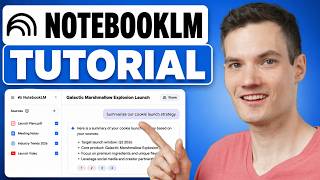 Research your documents with Gemini NotebookBy Kevin StratvertAsk questions grounded in your sources. Video uses the former NotebookLM name.
Readable steps
An original companion guide from The Useful Stuff, not a transcript of the video. Methods and model details may differ.
- Create a notebook and add permitted source documents.
- Ask a question that the sources can answer.
- Follow citations back to the supporting passage.
- Save useful findings with their source references.
Try this prompt
Using only my sources, compare their recommendations. Cite each claim and identify where the sources disagree.
The video uses NotebookLM; Google now calls the product Gemini Notebook.
Tools & materials
What you need
- Gemini Notebook or NotebookLM account
- Two non-sensitive source documents
No physical purchase is required. Tool features and limits vary by account and plan.
- Make a source-based audio overviewBy Kevin StratvertListen to an overview, then check the underlying evidence.
Readable steps
An original companion guide from The Useful Stuff, not a transcript of the video. Methods and model details may differ.
- Select the sources for a single topic.
- Choose Audio Overview where offered.
- Set a focus and generate the overview.
- Compare key statements with the original documents.
An AI conversation is a study aid, not a recording of your authors.
Tools & materials
What you need
- Gemini Notebook or NotebookLM account
- Source documents
- Headphones (optional)
No physical purchase is required. Tool features and limits vary by account and plan.
- Create a research mind mapBy Kevin StratvertSee how ideas connect across your reading.
Readable steps
An original companion guide from The Useful Stuff, not a transcript of the video. Methods and model details may differ.
- Choose a small set of related sources.
- Generate a mind map in the notebook tools.
- Expand a branch and inspect its supporting material.
- Rewrite unclear relationships in your own notes.
A tidy visual relationship may still need checking against the source.
Tools & materials
What you need
- Gemini Notebook or NotebookLM account
- Related source documents
No physical purchase is required. Tool features and limits vary by account and plan.
 Find and check sources with PerplexityBy Kevin StratvertMove from an AI answer to the evidence behind it.
Readable steps
An original companion guide from The Useful Stuff, not a transcript of the video. Methods and model details may differ.
- Ask a precise question with a date or location when relevant.
- Open the sources behind the answer.
- Check whether each source supports the specific claim.
- Save the primary source links alongside your conclusion.
Try this prompt
Find primary sources about [topic] as of [date]. Separate established facts from uncertainty and link supporting evidence.
Citations are starting points; inspect the linked page before trusting a claim.
Tools & materials
What you need
- Perplexity account if requested
- A research question
No physical purchase is required. Tool features and limits vary by account and plan.
- Compare options with an AI research tableBy Kevin StratvertBuild a comparison you can verify.
Readable steps
An original companion guide from The Useful Stuff, not a transcript of the video. Methods and model details may differ.
- Define the options and criteria before searching.
- Ask for a table with source links for each criterion.
- Mark missing evidence as unknown rather than guessing.
- Check current prices and availability with each provider.
Try this prompt
Compare [options] on [criteria]. Link a primary source for every row and write unknown when evidence is missing.
Do not treat an AI-generated ranking as proof that an option is best.
Tools & materials
What you need
- Perplexity access
- A list of comparison criteria
No physical purchase is required. Tool features and limits vary by account and plan.
- Organize research in Perplexity SpacesBy Kevin StratvertKeep questions and source trails organized.
Readable steps
An original companion guide from The Useful Stuff, not a transcript of the video. Methods and model details may differ.
- Create a space for one research topic.
- Add instructions describing the evidence you need.
- Group related research threads in it.
- Check access permissions before sharing the space.
Try this prompt
In this space, prioritize original documentation, include dates, and clearly label inference.
Features and limits change; check your account before upgrading.
Tools & materials
What you need
- Perplexity account with Spaces
- Research notes
No physical purchase is required. Tool features and limits vary by account and plan.